
RTMP vs RTSP vs HLS vs SRT, and which protocol to use
RTMP and SRT push a live stream from your encoder to a server. RTSP pulls video from an IP camera, and HLS delivers the finished stream to viewers in browsers and apps.
The right one depends on which leg of the stream you set up. This guide is for anyone who connects a camera, an encoder or a player and must choose a protocol.
| Protocol | Direction | Typical use | Latency | Transport | Encryption | Plays in a browser |
|---|---|---|---|---|---|---|
| RTMP | Push, encoder to server | Sending a stream to YouTube, Twitch, Kick or Facebook | Low, one continuous stream | TCP | RTMPS adds TLS | No |
| RTSP | Pull, server or player asks the camera | Reading video from an IP camera | Depends on the setup | Control commands, media usually over RTP | RTSPS adds TLS | No, needs a gateway |
| SRT | Push, encoder to server | Sending a stream over a weak or distant network | Under a second is possible, delay held constant | UDP, resends lost packets | AES, 128 to 256 bit | No, needs a gateway |
| HLS | Pull, player downloads files | Delivering the stream to viewers | Higher than RTMP, segment based | HTTP | HTTPS, and segments can be encrypted | Yes, natively in Safari, with hls.js elsewhere |
| WebRTC | Both ways, between peers | Calls, and sending from OBS with WHIP | Very low, built for real-time calls | RTP, set up over HTTP with WHIP | DTLS and SRTP | Yes, built in |
| DASH | Pull, player downloads files | Delivering the stream to viewers, like HLS | Depends on the setup | HTTP | Depends on the setup | Yes, with a player such as dash.js |
Pick the protocol for the leg that you set up:
- A camera into a server or a recorder: RTSP.
- An encoder to a platform: RTMP or RTMPS.
- A weak or distant network into your own server: SRT.
- The stream to your viewers: HLS.

Solid arrows are pushes: the sender opens the connection. Dashed arrows are pulls: the receiver asks for the stream.
On this page
What is the difference between RTMP and RTSP?
RTMP pushes and RTSP pulls. With RTMP, your encoder opens the connection and sends the stream to a server, such as the ingest server of a platform.
RTSP usually works the other way. A server or a player asks the camera for its stream, with commands such as PLAY and PAUSE. The RTSP specification calls it a "network remote control" for media servers.
RTSP does not usually carry the video itself. In most setups, the media travels over RTP, a separate protocol. The default RTSP port is 554.
RTMP carries the audio and video itself, in one TCP connection. For the details, see how RTMP works.
So use RTMP to send a stream to a platform. Use RTSP to read video from an IP camera, for example in a video recorder or a media server.
To send a camera to a platform, put a relay between them. FFmpeg or a media server such as MediaMTX can pull RTSP and push RTMP.
Should you send your stream with RTMP or SRT?
Send RTMP or RTMPS to a big platform. Use SRT when the network is weak or far away, and the receiver accepts SRT.
SRT runs over UDP. When a packet is lost, the receiver asks the sender for it again. The SRT project calls this ARQ, and it describes SRT as built for sub-second latency.
SRT also keeps the delay constant from end to end, and it can encrypt the stream with AES at 128, 192 or 256 bits.
RTMP runs over TCP and has no encryption of its own. RTMPS adds TLS, and all four platforms in the next section offer it.
In practice, the receiver decides. The platform help pages and ingest lists in the next section list RTMP and RTMPS, not SRT. Use SRT to send to your own server or a production tool. A cloud service can also give you an srt:// address. OBS Studio can send both.
Why do viewers get HLS and not RTMP?
HLS is built for delivery. The player downloads a playlist and short video segments over HTTP, so ordinary web servers and CDNs can serve the stream.
The playlist is a text file that lists the segments. A stream can offer several qualities, and the player switches between them when the network changes.
Safari on iPhone, iPad and Mac plays HLS natively. Other browsers play it with a JavaScript player such as hls.js, which uses Media Source Extensions.
The cost is delay. YouTube Help says that HLS has higher latency because it sends segments of video, not a continuous stream like RTMP. Apple also documents Low-Latency HLS.
So platforms receive your RTMP stream and convert it to HLS for viewers. For the full path, see why viewers cannot watch RTMP.
Which protocols do YouTube, Twitch, Kick and Facebook accept?
All four take RTMP or RTMPS from your encoder. Of the four, only YouTube lists another ingest protocol: HLS.
| Platform | Ingest protocols on its official pages |
|---|---|
| YouTube | RTMP and RTMPS, with RTMPS recommended. HLS to stream HDR or codecs that RTMP does not support. |
| Twitch | An RTMP and an RTMPS address for each ingest server |
| Kick | An RTMPS address on port 443 |
| An RTMP and an RTMPS address. Meta tells you to use the RTMPS one. |
See YouTube encoder settings, the Twitch ingest server list, Kick Help and the Facebook Live Video API guide for the addresses.
None of these pages lists RTSP, so an IP camera needs a relay to reach them.
Where do WebRTC and DASH fit?
WebRTC is the real-time video technology built into web browsers. It powers video calls with no plug-ins.
WHIP, IETF RFC 9725, lets an encoder send WebRTC to a streaming service, and OBS 30 and later can do it.
DASH, or MPEG DASH, is a playback format over HTTP, like HLS. In a browser, a JavaScript player such as dash.js plays it.
How do you bring a camera or encoder feed into a 24/7 stream?
Streamloop turns pre-recorded videos into a 24/7 live stream from the cloud, so your computer can be off and you need no OBS. It suits lofi, music and nature channels, and channels that mix a live camera or an encoder feed with looped video. A 24/7 live stream stays live, so new viewers can find it at any hour. Live Scenes adds live sources and graphics, so a camera or encoder feed can be part of the stream.
A Live Scenes stream, called a scene, accepts RTMP, RTMPS and SRT pushes with a stream key. It can also pull an IP camera over RTSP from a public camera address, or pull an HLS URL.
The scene sends to platforms over RTMP or RTMPS only. It runs at up to 1080p60, with no guest cameras and no WebRTC input.
To connect each input, see live input setup. To send to a platform with no preset, see custom RTMP streaming.
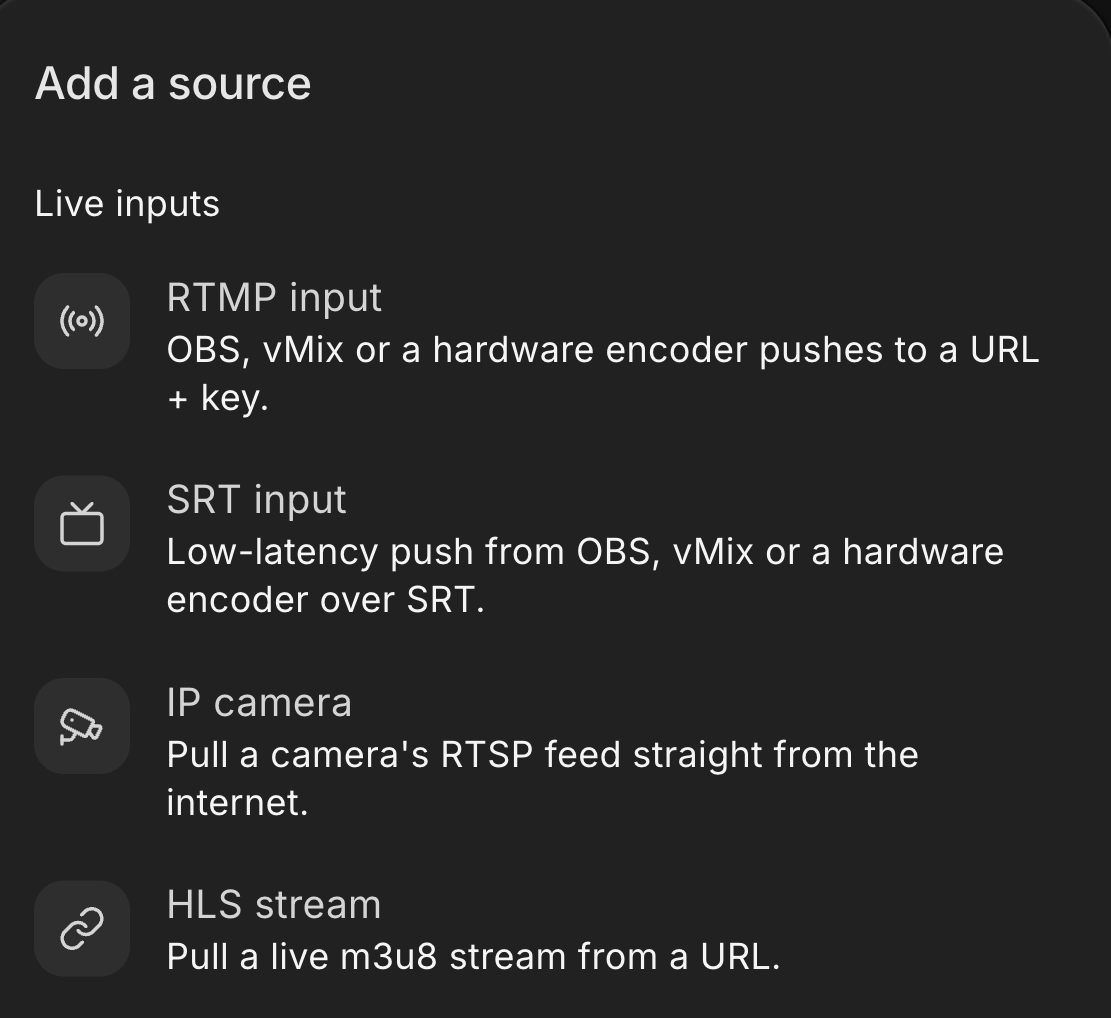
The Live inputs group of the Add a source menu.
Add a live feed to your 24/7 stream
Live Scenes is billed by the minute, only while live: one 1080p channel at 30 fps, live 24/7, is about $20 per 30 days. Choose Scene when you create a stream and describe your use case. Access is granted within 24 hours. See all prices
Frequently asked questions
Is RTSP better than RTMP?
Neither is better, because they do different jobs. RTSP lets a server or a player pull video from an IP camera. RTMP lets an encoder push a stream to a platform such as YouTube or Twitch. Many setups use both: a relay pulls the camera over RTSP and pushes RTMP to the platform.
Can a web browser play RTSP or RTMP?
No, not directly. Browsers lost RTMP playback when Flash Player support ended in 2020, and an RTSP feed also needs a gateway. A media server pulls the stream and converts it to HLS or WebRTC. Safari plays HLS natively, and other browsers use a JavaScript player such as hls.js.
Is SRT better than RTMP?
SRT is better on weak or long-distance networks. It runs over UDP, sends lost packets again and keeps the latency constant. RTMP is better for platforms, because YouTube, Twitch, Kick and Facebook list RTMP or RTMPS ingest in their help pages or ingest lists. Pick the protocol that your receiver accepts.
Which streaming protocol has the lowest latency?
WebRTC and SRT are built for the shortest delay. WebRTC is made for real-time calls, and the SRT project describes sub-second latency. HLS has more delay than RTMP because it sends segments. On YouTube, ultra-low latency gives most viewers less than 5 seconds, but YouTube turns it off when you send HLS.
How do you convert an RTSP camera stream to RTMP?
Use a relay that pulls RTSP from the camera and pushes RTMP to the platform. FFmpeg can do this from the command line. A media server such as MediaMTX can do it for many cameras. A relay in the cloud can only reach a camera that has a public internet address.
Sources
Checked on October 15, 2026 against YouTube Help, Kick Help, Meta for Developers, the Twitch ingest server list and the Streamloop dashboard.
Protocol sources: IETF RFC 2326, RFC 7826, RFC 8216 and RFC 9725, Apple HTTP Live Streaming and MDN Web Docs on WebRTC. Tool sources: the FFmpeg documentation and the SRT, hls.js, dash.js and MediaMTX projects.