
How to Find Your Twitch Stream Key and Server URL
Your Twitch stream key is in the Creator Dashboard, under Settings, then Stream. Most encoders, such as OBS, choose the Twitch server for you, so you need only the key.
This guide covers OBS, hardware encoders and cloud tools. Treat the key like a password. Most readers need only the computer and OBS steps.
On this page
Find your Twitch stream key on a computer
After you sign in, the direct address is dashboard.twitch.tv/settings/stream.
- Go to twitch.tv in a web browser, and sign in.
- Open the Creator Dashboard.
- Select Settings, then Stream.
- Copy your stream key from that page.
- Paste the key into your encoder or streaming tool.

The path to your key. This is a schematic, not a Twitch screenshot.
Twitch says to never share the key or show it on stream. Twitch example keys start with live_.
Find your Twitch stream key on a phone
To go live from the Twitch app on iOS or Android, you do not need a stream key, says Twitch.
Twitch does not say that the app shows the key. For another tool, open the Creator Dashboard in a web browser.
Paste the key into OBS
In OBS Studio, you can connect your Twitch account instead of a key. Twitch calls this way "Connect Account (recommended)".
- In OBS, open Settings, then Stream.
- For Service, select Twitch.
- Select Connect Account, and sign in to Twitch. You then do not copy a key.
- To use a key instead, select Use Stream Key, and paste your key.
Most encoders choose the closest Twitch server, so leave the server setting as it is.
Stream key versus server URL, for custom encoders
You need the server URL only if your tool does not choose it, such as a hardware encoder.
| Checked October 14, 2026 | Server URL | Stream key |
|---|---|---|
| What it tells Twitch | Which server receives the video | Which channel the stream is for |
| Default value | rtmp://ingest.global-contribute.live-video.net/app | Your own key |
| Secure form | rtmps://ingest.global-contribute.live-video.net/app | The same key |
| Secret | No | Yes |
| When it changes | When you choose another server | When you reset it or change your password |

Your encoder joins them as rtmp://SERVER/app/STREAM-KEY. The key in the diagram is fake.
Regional servers are in the Twitch ingest list at ingest.twitch.tv/ingests, on contribute.live-video.net addresses.
Reset a leaked or exposed stream key
If another person saw your key, reset it now, on the same Stream page.
- Open the Creator Dashboard, then Settings, then Stream.
- Reset the stream key, and copy the new key.
- Paste the new key into every encoder that used the old key, or connect OBS to Twitch again.

Top row: an encoder such as OBS. Bottom row: Streamloop.
A password change also resets the key. Guest keys stay valid until you remove that person from your stream permissions.
Streamloop users: see the New key line in the Streamloop section below.
Cannot see your key or go live
| Symptom | Cause | Fix |
|---|---|---|
| You cannot see the key | You are not signed in on twitch.tv | Sign in on twitch.tv in a browser, then open Settings, Stream |
| You cannot go live | A streaming suspension, for 24 hours to 30 days | Check or appeal it at appeals.twitch.tv |
| Twitch does not receive the stream | A wrong key, server or encoder setting | Copy the key again, and let the encoder choose the server |
| Your key leaked | Another person saw it | Reset it now, with the steps above |
Causes from Twitch help on streaming problems, read on October 14, 2026.
Paste the key into Streamloop for a 24/7 loop
Use Streamloop for a prerecorded video loop on Twitch, 24/7 or on a schedule, with your computer off.
- In your loop, open the General tab, and select Connect a destination.
- Select Connect new destination, then choose Twitch.
- Change the Display name if you want. Then paste your key into Stream key, and select Save destination.
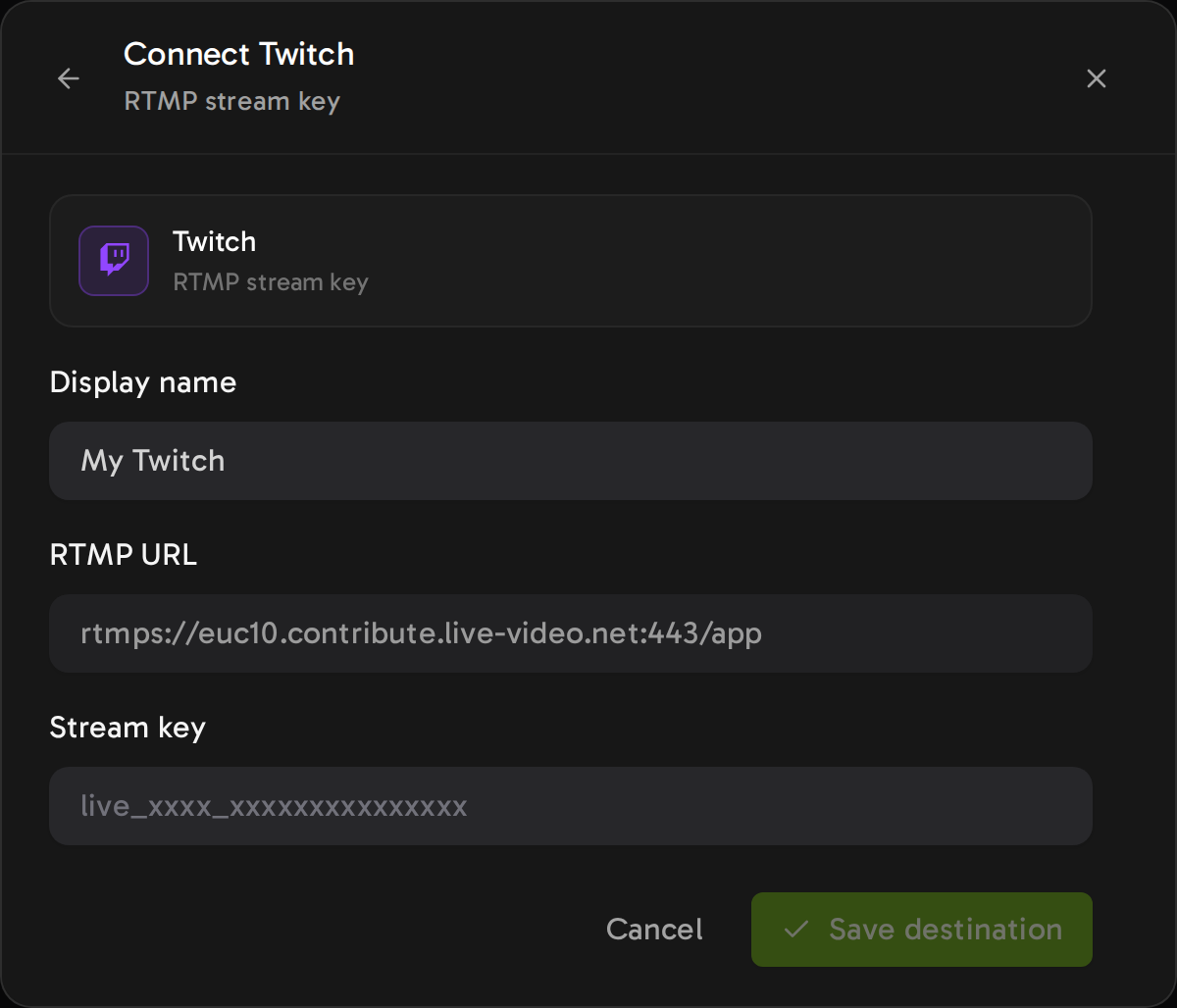
The Twitch server is filled in and locked. You paste only the key.
- Server. The RTMP URL is locked to the Twitch Frankfurt ingest, and Streamloop servers send the stream there. For another Twitch server, choose Custom RTMP.
- Key. The field shows the key while you type. After you save, only its last 4 characters show.
- 48 hours. Twitch ends a broadcast after 48 hours. Before that, Streamloop pauses the stream and reconnects, so Twitch starts a new broadcast.
- Rerun label. For prerecorded video, Twitch asks you to select Rerun and start the title with "[Rerun]".
- New key. There is no change-key button. Stop the loop, add Twitch again with the new key, remove the old destination, then start.
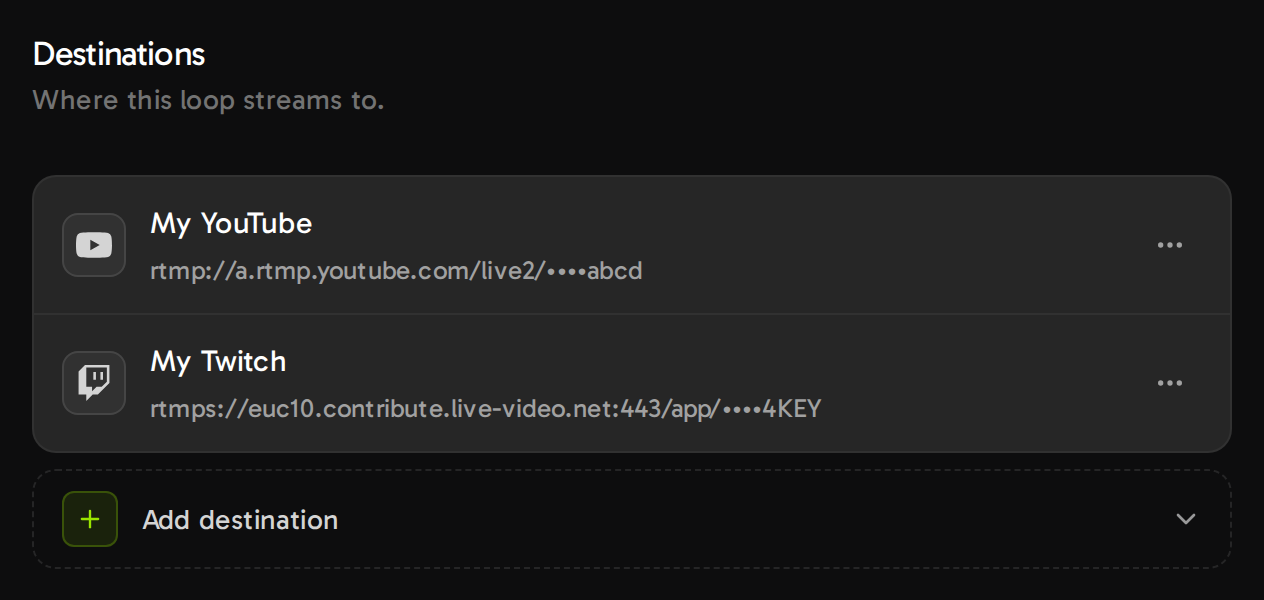
After you save, each destination shows only the last 4 characters of its key.
One loop can also stream to YouTube and Twitch at once: how to multistream.
Stream a prerecorded loop to Twitch
Pay $1 for 7 days of nonstop streaming at the quality you pick. A card is required. On day 7, the monthly plan of that quality starts, from $4 per 30 days, or $10 at 1080p30.
Frequently asked questions
Where do I find my stream key on Twitch?
Sign in on twitch.tv, open the Creator Dashboard, and select Settings, then Stream. Copy the key there, and keep it secret.
Can I get my Twitch stream key on the mobile app?
You do not need one there. Twitch says the Twitch app on iOS or Android needs no stream key. For another tool, use a web browser.
What is the Twitch RTMP URL?
The default server is rtmp://ingest.global-contribute.live-video.net/app. The full format is rtmp://SERVER/app/STREAM-KEY. Most encoders choose the server for you.
Is it safe to share my Twitch stream key?
No. Twitch says that sharing it could compromise your channel. Give a co-streamer a guest key from the Permissions part of your Stream settings.
Does my Twitch stream key change?
It changes when you reset it and each time you change your Twitch password. Twitch may also reset it after an account takeover.
Can I stream prerecorded video to Twitch with my stream key?
Yes. Twitch calls it a Rerun. Select the Rerun checkbox in Edit Stream Info, and start the title with "[Rerun]".
Sources and changes
Sources
Twitch Help (help.twitch.tv), Twitch Developers (dev.twitch.tv) and Streamloop code, read on October 14, 2026. A correction? Contact us
Changes
October 14, 2026: first version.