
How to Find Your Kick Stream Key and Server URL
Your Kick stream key is in the Creator Dashboard: select Stream URL & Key in the sidebar, and copy the key. The Kick RTMP URL, which Kick calls the Stream URL or server URL, is rtmps://fa723fc1b171.global-contribute.live-video.net:443/app.
This guide covers OBS, phone apps and cloud tools. Treat the key like a password. For a live OBS stream to Kick only, the first three sections are enough.
On this page
Find your Kick stream key on a computer
Use a web browser on a computer.
- Sign in at kick.com to the channel that you stream to.
- Open your Creator Dashboard.
- In the sidebar, select Stream URL & Key.
- Select the eye icon in the Stream Key field, copy the key, and paste it into your streaming tool.
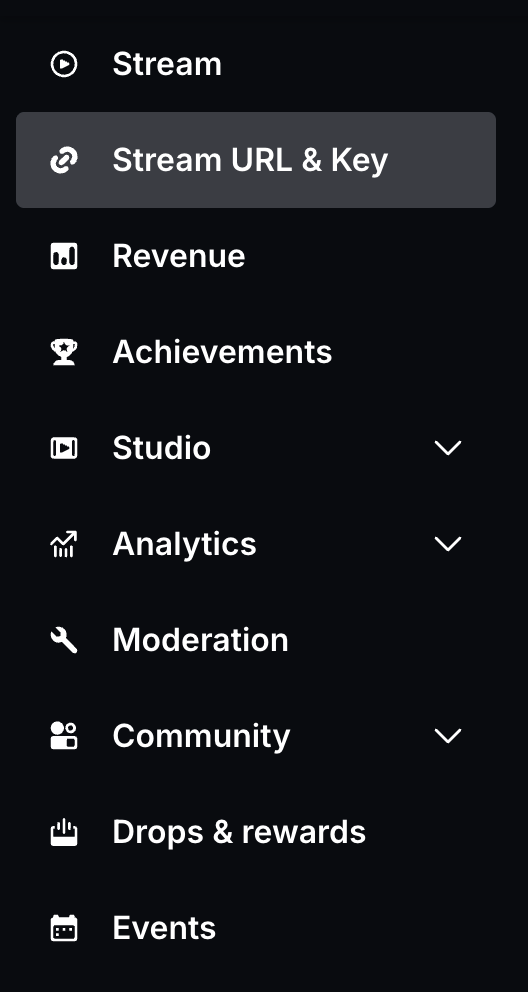
Step 3: the Kick sidebar on October 14, 2026. Some Kick help pages say Channel, then Stream URL and Key.
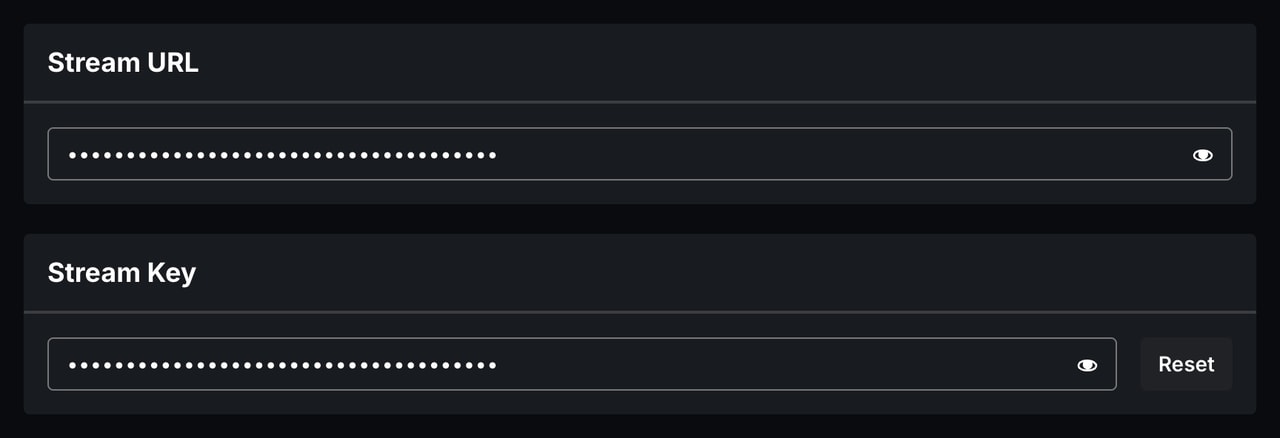
Step 4: Kick hides both values. Each field has an eye icon, and the key has a Reset button.
Kick says: "Never share your stream key with anyone. Anyone with your stream key can broadcast directly to your channel."
Kick stream key not showing?
Kick Help gives no reason for a missing key page. Sign in at kick.com in a web browser, then open dashboard.kick.com/channel/stream or kick.com/settings/stream. If the key still does not show, contact Kick support at techsupport@kick.com.
Kick RTMP URL and stream key: what goes where
Kick needs two values. The RTMP URL, or server URL, says where the video goes. The stream key says which channel it is, and it is secret.
| Checked October 14, 2026 | RTMP URL (Stream URL) | Stream key |
|---|---|---|
| What it tells Kick | Which server receives the video | Which channel the stream is for |
| Value | rtmps://fa723fc1b171.global-contribute.live-video.net:443/app | Your own key. Kick's help example starts with sk_us-west-2_ |
| Secret | No | Yes |
| Field in OBS | Server | Stream Key |
| Per channel | No. Every Kick help page shows this one URL | Yes, and it changes when you select Reset |

The key is a fake.
Kick's GoPro guide shows this address without :443. If a tool does not connect, paste the full address above.
Some apps have one address field only. Then enter the server URL, a slash and your key: rtmps://fa723fc1b171.global-contribute.live-video.net:443/app/YOUR-STREAM-KEY.
Connect OBS or Streamlabs Desktop
OBS Studio needs the server URL and the key. Streamlabs Desktop needs no key.
- In OBS, select File, then Settings, then Stream.
- Set Service to "Custom...".
- Paste the server URL into Server, and your key into Stream Key.
- Select Apply.
In Streamlabs Desktop, open Settings, then Stream, and select Connect next to KICK.
Set a title and category first.
Go live on Kick from your phone
Kick's own phone app, KICK - Go Live, needs no stream key. It works for any Kick account, on iOS 18 or Android 8 and later.
- Other apps. Streamlabs Mobile, PRISM Live Studio, Larix Broadcaster and Moblin need the full server URL and your key.
- Streamlabs Mobile. Set the title and category on the Kick website first.
Web Go Live streams from your browser with no key: select Go Live in the Creator Dashboard.
Reset your Kick stream key safely
If another person saw your key, reset it now.
- In the Creator Dashboard, open Stream URL & Key.
- Select Reset to make a new key, and copy it.
- Paste the new key into every tool that used the old key.
Kick does not save your old key, so update each tool before you go live again.
In Streamloop, stop the loop first, then follow the new key step.
Fix a Kick stream that will not start
Kick names these causes when an encoder does not connect.
- Key. The key field is empty, or it holds an old or wrong key.
- Settings. An encoder setting is outside the limits in the table below.
- Old software. Update OBS or Streamlabs, then restart it.
- Network. A firewall, antivirus, or a school or work network blocks the stream.
- Title and category. Without them, Kick says that the stream may not start correctly.
| Setting | Kick requirement |
|---|---|
| Encoder | x264 or H.264 only |
| Rate control | CBR only |
| Maximum bitrate | 8,000 kbps |
| Maximum resolution | 1920x1080 |
| Maximum frame rate | 60 fps |
| Audio | Stereo, 48 kHz maximum |
Source: Kick Help, read on October 14, 2026.
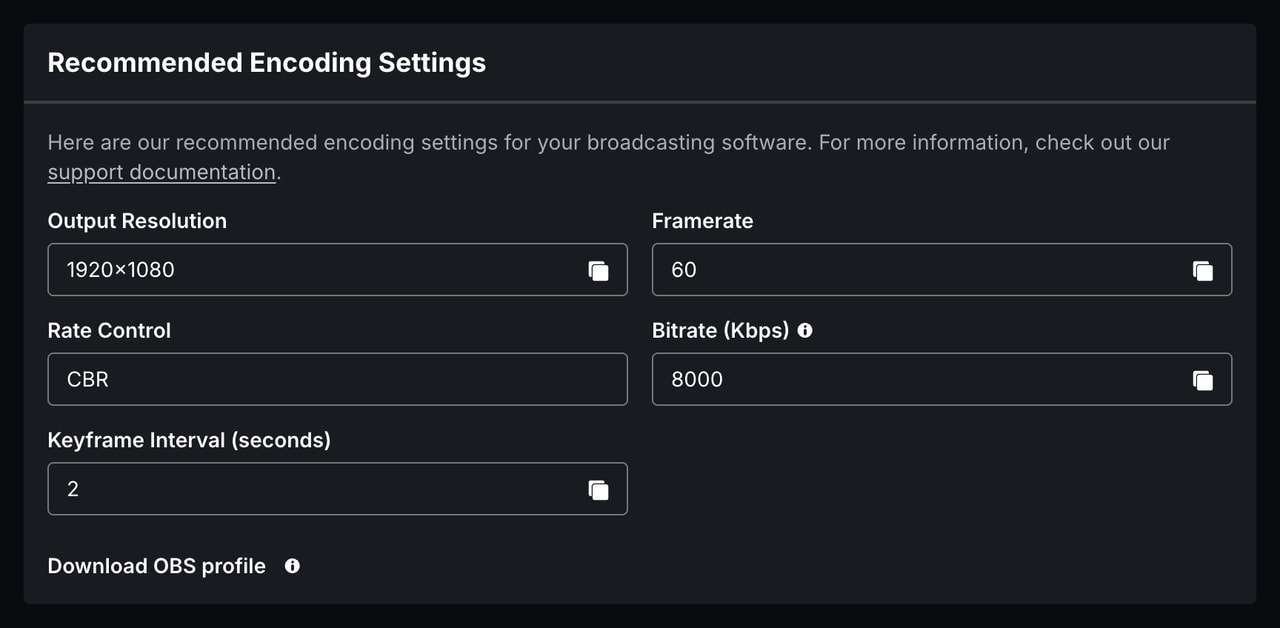
Kick shows these values under Recommended Encoding Settings, with a Download OBS profile button.
Run prerecorded video on Kick around the clock
Live from your PC to Kick only? Then you do not need Streamloop. Streamloop plays a prerecorded video loop on Kick from the cloud, with your PC off.
Check this first. Kick's rules for verified and Partner channels say: "Avoid mirror streams, blank streams, or pre-recorded content." A loop can cost you that status.
New to Streamloop? Sign up, and the setup asks where you want to stream. Choose Kick, and paste your key. For a loop you already have:
- In your loop, select Add destination, then Connect new destination, then Kick.
- Paste your key into Stream key, and select Save destination.
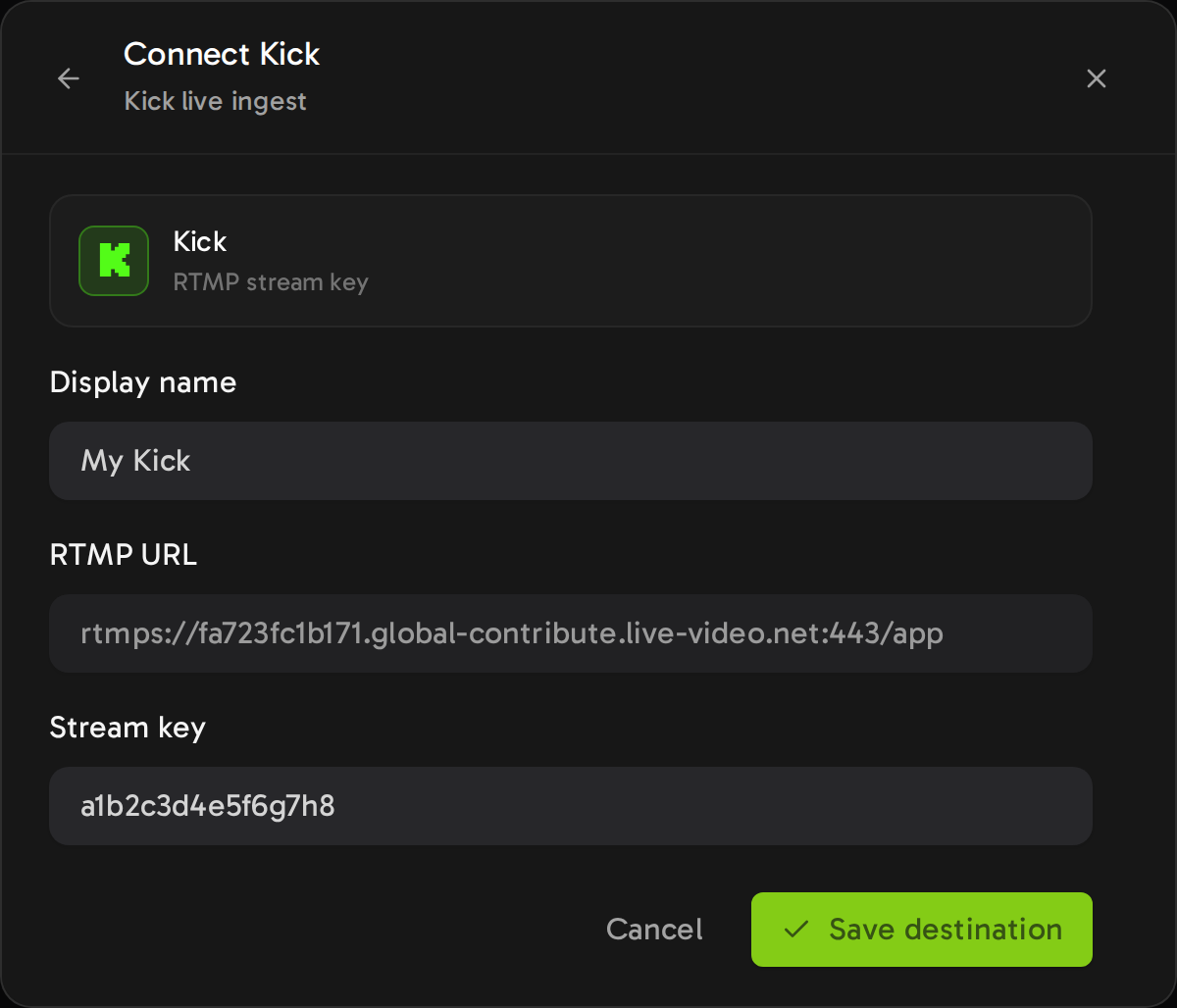
The Kick server is locked. You paste only the key.
- Key. The editor shows the key while you type.
- Quality. Kick takes up to 1080p at 60 fps, so choose 1080p or lower.
- New key. Stop the loop, add Kick again with the new key, remove the old destination, then start.

Top row: an encoder such as OBS. Bottom row: Streamloop.
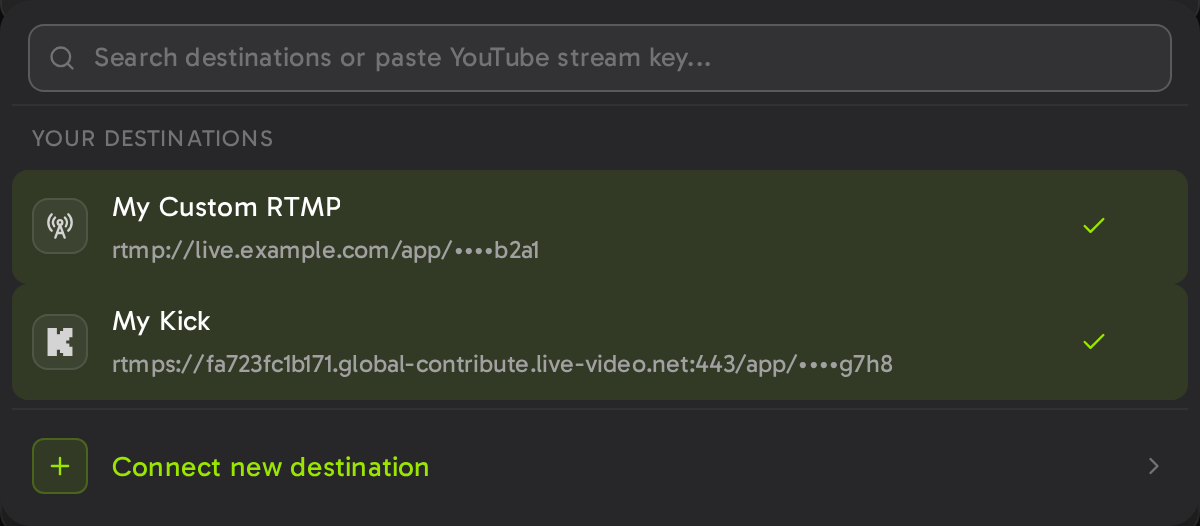
Saved keys show only the last 4 characters.
Stream a prerecorded loop to Kick
Pay $1 for 7 days at the quality you pick. A card is required. Cancel during the trial, and you pay nothing more. From day 7, the plan costs from $4 per 30 days at 720p24, $10 at 1080p30 or $15 at 1080p60.
Send one live Kick stream to YouTube or Twitch too
A multistream tool sends one live OBS feed to Kick and other platforms at once. Kick Help names Restream, Castr and Restreamer.
- Partner rule. Kick Partners must turn on the Multistreaming toggle for Twitch or YouTube. Their payout drops by 50% while it is on.
- Streamloop. Live Scenes puts your live OBS feed into a scene and sends it to up to 5 destinations, at up to 1080p60.
One live feed to Kick and more
Choose Scene when you create a stream, and describe your use case. Access comes within 24 hours. As of October 14, 2026, a scene stream costs $20 per 30 days at 1080p30, or $35 at 1080p60, streaming included. Each destination after the first adds $6 per 30 days at 1080p.
Frequently asked questions
What is the Kick RTMP URL?
It is rtmps://fa723fc1b171.global-contribute.live-video.net:443/app. Kick calls it the Stream URL, and OBS calls it the Server. Every Kick help page shows this one address.
Why is my Kick stream key not showing?
Kick Help gives no reason. Sign in at kick.com in a web browser, then open dashboard.kick.com/channel/stream or kick.com/settings/stream. If the key still does not show, contact techsupport@kick.com.
Do I need a stream key to go live on Kick from my phone?
Not with the KICK - Go Live app, which uses your Kick sign-in. Streamlabs Mobile, PRISM Live Studio, Larix Broadcaster and Moblin need the server URL and your key.
Why does OBS not connect to Kick?
Copy the current key, and use the full rtmps server URL. Set H.264 with CBR at 8,000 kbps or less. Old OBS versions and blocked networks also stop the connection.
Can I stream to Kick and YouTube at the same time?
Yes, with a multistream tool. Kick Partners must turn on the Multistreaming toggle for Twitch or YouTube, and their payout drops by 50% while it is on.
Can I stream prerecorded video to Kick 24/7?
A cloud tool such as Streamloop can send a prerecorded loop to Kick. Kick asks verified and Partner channels to avoid prerecorded content, so a loop can cost that status.
Sources and next steps
Sources
Kick Help (help.kick.com): nine articles on stream setup, phone apps, multistreaming and verification.
Main sources: How to Stream on KICK.com, and OBS or Streamlabs not connecting to KICK.
Read on October 14, 2026, with Streamloop code. A correction? Contact us
Changes
October 14, 2026: first version.
October 14, 2026: we added screenshots of the Kick Creator Dashboard.